Description
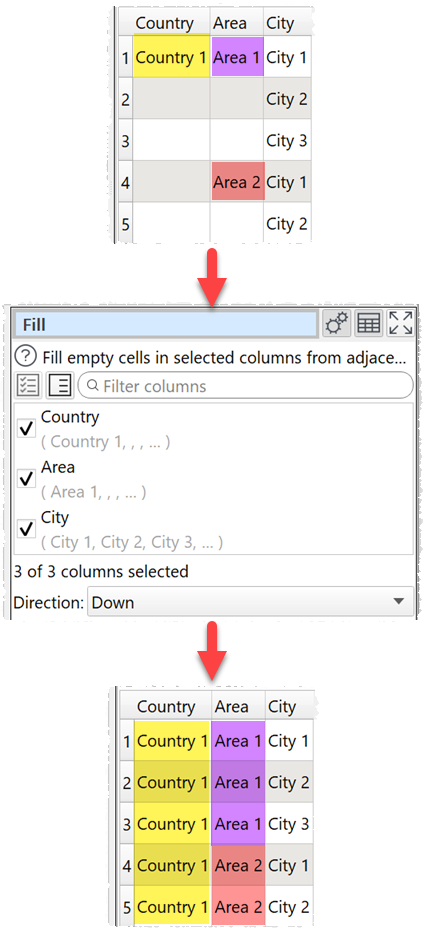
Fill empty cells in selected columns with the adjacent non-empty values.
Example
Fill down:
Inputs
One.
Options
•Check the column(s) you wish to fill.
•Select Direction depending on the direction you wish to fill to.
Notes
•Cells containing whitespace are not considered empty.
•To fill empty values with something else use the Replace transform.