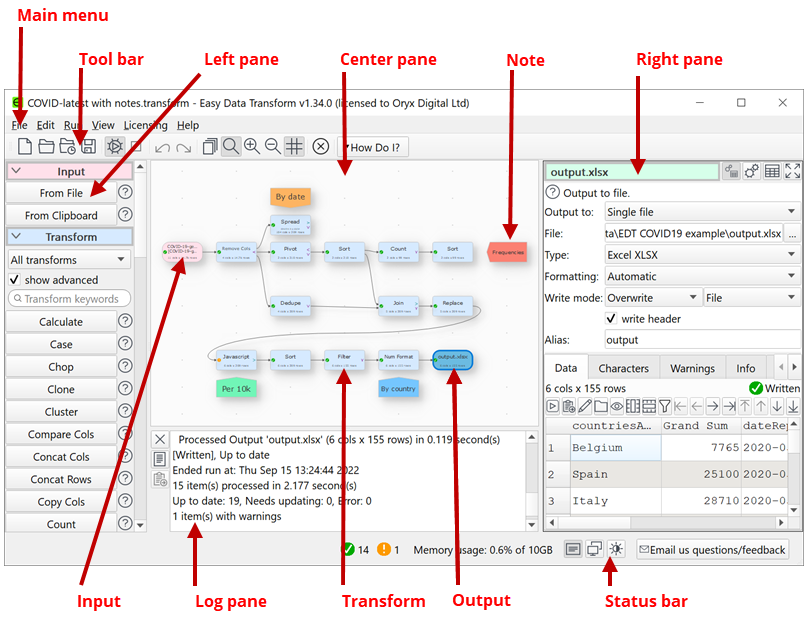
The Main window comprises:
•Main menu
•Tool bar
•Status bar
You can split the Right pane onto a separate monitor (if available) by selecting View>Two Screen Mode.
|
<< Click to Display Table of Contents >> Navigation: Reference > User Interface > Main window |
The Main window comprises:
•Main menu
•Tool bar
•Status bar
You can split the Right pane onto a separate monitor (if available) by selecting View>Two Screen Mode.