The following transforms allow you to highlight changes made by the transform:
•Case
•Chop
•Fill
•Hash
•Pad
Check the compare changes checkbox below the data table to highlight changes made by the transform.
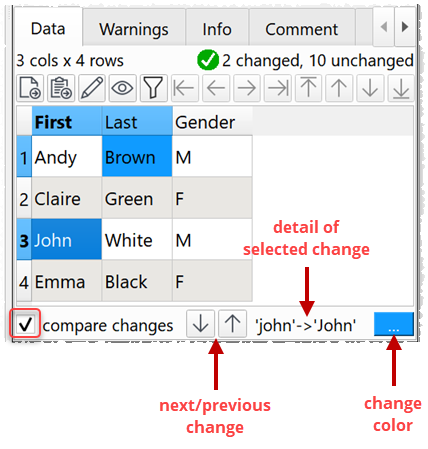
Click on or hover over a cell to see details of each change.
Click on the up and down arrows to move between changes. Changes hidden by dataset filtering are skipped.
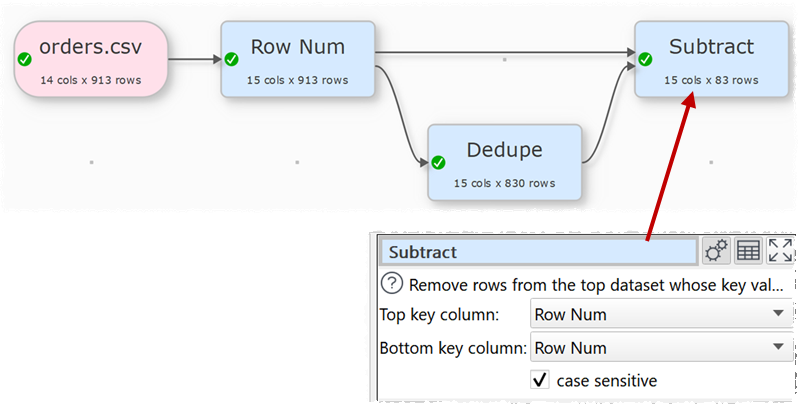
If you want to see rows that were removed by a transform such as Dedupe, Unique or Filter, you can do that using Subtract. The dataset needs to have a column of unique key values to use in the Subtract. If it doesn't have one, then add one first using Row Num.
You can also compare headers or data between datasets.