This production release adds enhancements and bug fixes to Easy Data Transform v2.10.0.
You will require a v2 license to use this release after the free trial has expired. You can buy a new license key here or, if you have a v1 license key, you can buy a discounted upgrade here. See also our upgrade FAQ.
We recommend that you back-up important .transform files before installing any new release.
Please let us know of any problems or issues you encounter with the release.
The download links are at the bottom of the page.
System requirements
Windows: 64 bit Windows 11/10/8/7 (Intel processor) or 64 bit Windows 11 (ARM processor).
Mac: macOS 26 to 10.13 (Universal Binary for ARM M series or Intel processors).
Compatibility
This version can read .transform files saved in all previous versions.
All Editions
Windows and Mac
1. Easy Data Transform is now named Easy Data Transform Core Edition.
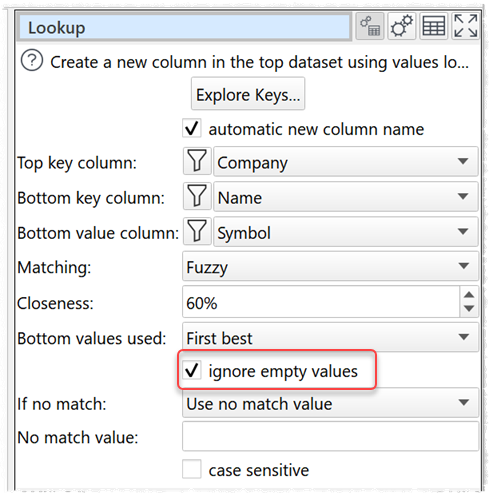
2. The Lookup transform has an additional ignore empty values option. If checked, any rows with empty values in the bottom dataset are ignored during lookup. A value containing whitespace is not considered empty.
3. In the Preferences window you can now set the Zoom wheel sensitivity slider to control how much to zoom in or out with each mouse wheel click (or touch equivalent). Zooming with buttons in the main tool bar is not affected. Thanks to Stefan R. and Dennis G. for requesting this.
4. The same view area in the Center pane is now maintained during Edit>Undo and Edit>Redo. Thanks to @Joker and Dennis G. for requesting this.
5. The absolute location of Input and Output items is now shown in the Warnings and Info tabs during reading and writing.
6. Messages output during command line and batch processing have been improved.
7. The use of red for highlighting drop-down lists is now more consistent.
8. There was a bug that meant that column indexes were not correct when:
- copying terms from a Filter transform to the clipboard; or
- copying terms from the clipboard to a Filter transform
This is now fixed. Thanks to @Jan for report this.
9. Fixed a crash caused by pressing Ctrl+Left Arrow during processing. Thanks to Balazs K. for reporting this.
Advanced Edition only
Windows and Mac
10. Easy Data Transform Advanced Edition is now available, with powerful visualization capabilities.
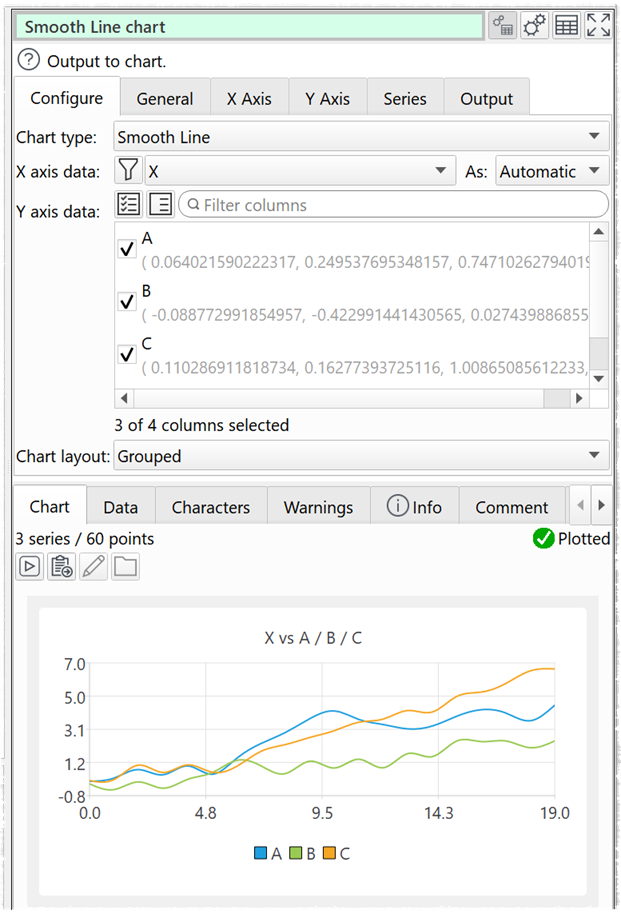
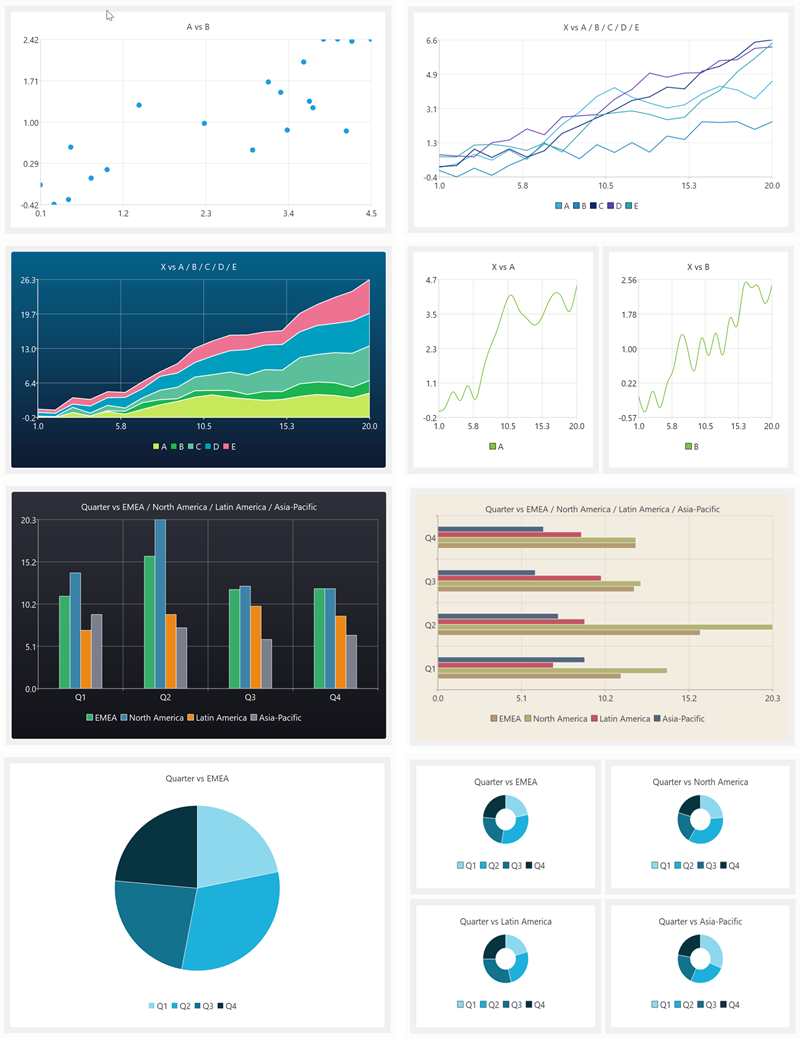
Chart types supported in this version are:
- scatter chart
- line chart
- smoothed line chart
- area chart
- vertical bar chart
- horizontal bar chart
- pie chart
- donut chart
Here are a few examples of the sort of thing you can do in just a few clicks:
Add a Chart item anywhere you would normally add an Output item.
Charts can be output to PNG, JPEG and PDF files and are fully integrated into the command line and batch processing.
This video gives you a quick overview of the new visualization features:
Easy Data Transform Advanced Edition is available as a paid upgrade from Easy Data Transform Core Edition.
Thanks to everyone that sent feedback. Special thanks to Olaf W..
Mac only
11. There is a known issue that chart legends can be truncated when output to PDF. We hope to have a fix for this in a future release.
12. There is a bug in the macOS Preview application which means that gradients in PDFs files are not correctly displayed. Try opening the PDF in a PDF viewer or Chrome instead.
 Windows Download
 Mac Download