This production release adds enhancements and bug fixes to Easy Data Transform v2.11.1.
You will require a v2 license to use this release after the free trial has expired. You can buy a new license key here or, if you have a v1 license key, you can buy a discounted upgrade here. See also our upgrade FAQ.
We recommend that you back-up important .transform files before installing any new release.
Please let us know of any problems or issues you encounter with the release.
The download links are at the bottom of the page.
System requirements
Windows: 64 bit Windows 11/10/8/7 (Intel processor) or 64 bit Windows 11 (ARM processor).
Mac: macOS 26 to 10.13 (Universal Binary for ARM M series or Intel processors).
Compatibility
This version can read .transform files saved in all previous versions.
All Editions
Windows and Mac
1. You can now use Edit>Cut, Edit>Copy and Edit>Paste to cut, copy and paste items in the Center pane.
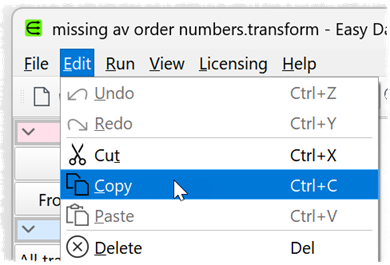
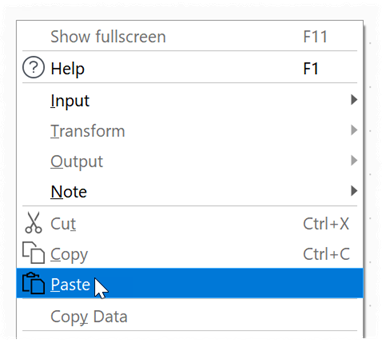
If you want to paste into a particular location, right-click on that point and select Paste from the right-click menu.
2. Output to the log pane, from batch processing and from command line processing has been made clearer and more consistent. Thanks to @Olaf for feedback and testing.
3. The previous -verbose argument for command line processing has been replaced with -verbosity <level> where <level> can have the following values:
- 0: silent
- 1: summary
- 2: normal
- 3: extra
- 4: maximum
This only takes effect if command line argument -cli is present.
4. There is now an additional command line argument -overwrite to overwrite an existing log file. This only takes effect if command line arguments -cli and -log are present. If -overwrite not present, the log file will be appended to, as previously.
5. You can now use file name variables, such as {datetime}, in the command line log file name/location. For example:
-log “log_{datetime}.txt”
6. There are now additional options in the Command Line window.
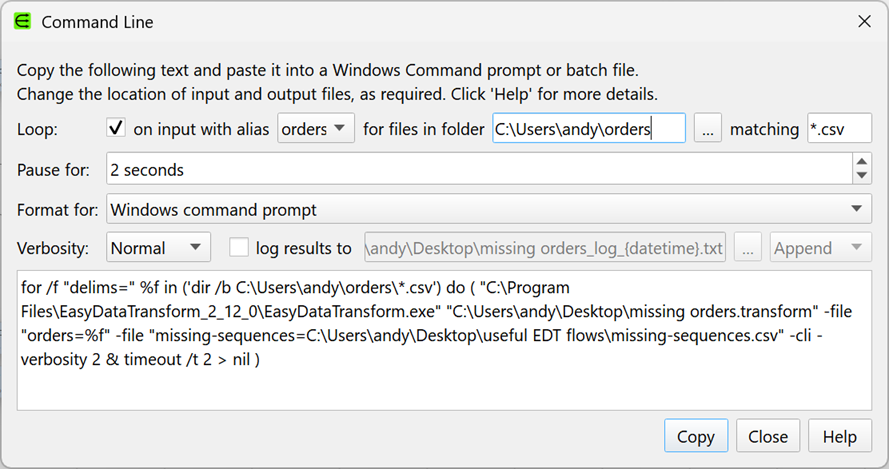
- Check loop to add Windows/Mac file looping.
- Set Verbosity in the drop-down list.
- Check log results to to send command line output to a log file.
- Set the drop-down to Overwrite or Append to overwrite or append to an existing log file with the same name.
Select File>Command Line… to access this window. Thanks to @Olaf for feedback and testing.
7. You can now set the verbosity of the output in the Batch Processing window.
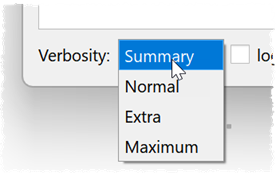
8. Batch processing no longer shows information messages by default. Thanks to Olaf W. for reporting this.
9. The General tab of the Preferences window has been split into General and User Interface tabs.
10. Edit>Select All now selects all the connections as well as all the items.
11. We have increased the maximum value of Preferences>General>Maximum memory usage to 6TB on Windows (the maximum RAM supported by Windows Pro/Enterprise) and 1.5TB on Mac (the maximum RAM supported by a Mac Pro). Thanks to Phillip K. for requesting this.
12. Fixed an obscure crash bug in the Stack transform.
Advanced Edition only
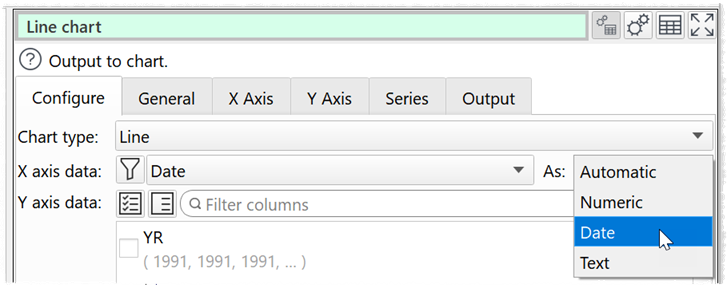
14. You can now use date values for the X axis of Scatter, Line, Smooth Line and Area charts. Select a column of date values for X axis data and set As to Automatic or Date. The date values should be in one of the formats listed in Preferences>Dates.
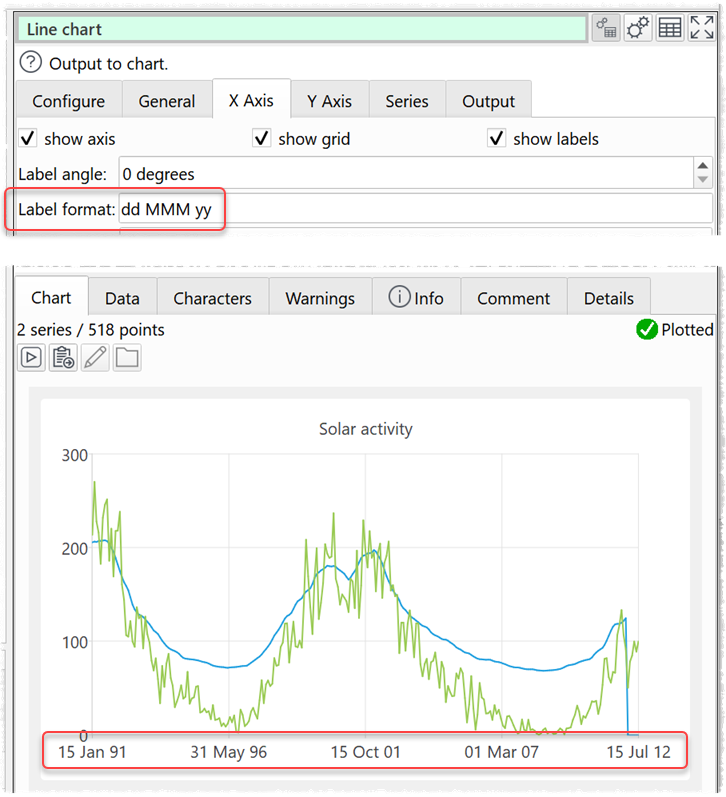
You can change the formatting of the date labels in the Label format field.
15. Fixed an issue with Duplicate Branch on Chart items.
 Windows Download
 Mac Download